
Cybersecurity 2026: Latest Threats, Data Breaches, and Complete Protection Guide
You get an alert. Your email was hacked. Your bank shows transactions you did not make. Someone has your data. Your heart sinks. You feel violated. You have no idea what to do next. You are not alone. Millions of Americans face this nightmare every year.
I have worked in cybersecurity for over a decade. I have responded to breaches at Fortune 500 companies. I have seen ransomware cripple hospitals. I have watched identity theft destroy lives. The threat landscape in 2026 is worse than ever. Attackers are smarter, faster, and more persistent. But you are not helpless.
This is your complete guide to Cybersecurity 2026. Inside, you will discover the latest threats targeting individuals and businesses, the biggest data breaches of the past year, and a complete protection guide that works for normal people. No technical jargon. No fear-mongering. Just actionable advice from someone who has been in the trenches.
What You Will Learn Inside
1. Latest Cyber Threats in 2026
The threat landscape has evolved. Attackers no longer send obvious spam emails. They are sophisticated, patient, and well-funded.
AI-Powered Phishing
Phishing emails used to be easy to spot. Bad grammar. Ugly designs. Suspicious links. Those days are over. Attackers now use AI to generate perfect phishing emails. AI-generated emails have perfect grammar and spelling. They mimic the writing style of real companies. They personalize content based on your public data.
AI can also create convincing voice phishing calls. Attackers clone voices using short audio clips from social media. They call your family pretending to be you. The voice sounds exactly like the real person. Deepfake video is emerging as a threat. Attackers can create video of executives authorizing wire transfers.
Ransomware Evolution
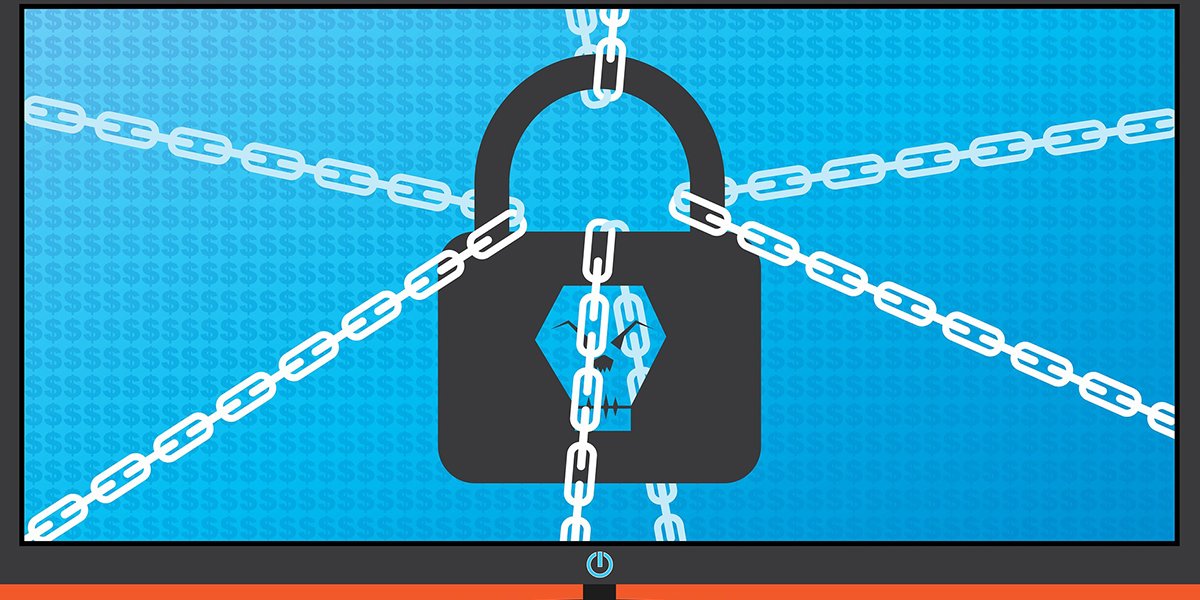
Ransomware has become more sophisticated. Attackers now steal your data before encrypting it. Then they threaten to publish it if you do not pay. This is double extortion. Some attackers now use triple extortion, also threatening your customers, partners, or patients.
Ransomware-as-a-service has lowered the barrier to entry. Anyone can rent ransomware tools from criminal groups. Healthcare, education, and manufacturing remain the most targeted sectors. Attackers know these organizations cannot afford downtime.
Supply Chain Attacks
Attackers have realized that hacking one company gives them access to many. Software supply chain attacks compromise a vendor, then use that access to attack the vendor's customers. Managed service provider attacks are another vector. An MSP manages IT for hundreds of small businesses. Compromise the MSP, and you compromise all their clients.
Credential Stuffing
People reuse passwords. Attackers know this. They take username and password pairs from one breach and try them on hundreds of other sites. This is credential stuffing. It works because most people reuse passwords. Account takeover happens when credential stuffing succeeds. Attackers then change your password and lock you out.
2. Biggest Data Breaches of 2025-2026
Data breaches continue to expose billions of records. These are the most significant breaches of the past year.
National Public Data Breach (2025)
One of the largest breaches in history exposed 2.9 billion records containing Social Security numbers, names, addresses, and phone numbers. The breach affects nearly every American adult. Your Social Security number is almost certainly in this breach. There is nothing you can do to remove your data. Freeze your credit immediately.
Change Healthcare Ransomware
The Change Healthcare ransomware attack disrupted pharmacies and hospitals nationwide. Prescriptions could not be filled. Insurance claims could not be processed. The attack caused billions in damages. The breach exposed the medical data of millions of patients. Social Security numbers, medical diagnoses, and treatment information are now in criminal hands.
Microsoft Email Breach (2025)
Russian hackers stole email from senior US government officials through a Microsoft breach. The attackers used a stolen cryptographic key to forge authentication tokens. They could access any Microsoft email account without a password. The breach lasted months before Microsoft detected it.
3. How Hackers Get Your Data
Understanding attack vectors helps you defend against them. Here is how hackers most commonly get your data.
Phishing
Phishing remains the most common attack vector. Attackers send emails that look legitimate. You click a link or download an attachment. Malware installs silently. Your credentials are stolen. Never click links in unexpected emails. Never download attachments unless you are expecting them.
Data Breaches
Your data is exposed in breaches of companies you trust. The company loses your data. You had no control over their security. Once your data is in a breach, it is on the dark web forever. Use unique passwords for every account. Enable MFA everywhere.
Public Wi-Fi
Public Wi-Fi networks are not secure. Attackers can intercept traffic on the same network. Never access sensitive accounts on public Wi-Fi. Use a VPN if you must use public Wi-Fi. Mobile data is more secure than public Wi-Fi.
Social Engineering
Social engineering manipulates people, not computers. Attackers call pretending to be IT support. They claim your account has been compromised. They ask for your password to fix it. Verify identity through independent channels. Call the person back using a known number.
4. Complete Personal Cybersecurity Guide
These practices will protect you from almost all common attacks. They take effort to implement but save massive headaches later.
Use a Password Manager
Use a password manager. Bitwarden, 1Password, and Apple Passwords are excellent choices. The password manager generates random, unique passwords for every account. You only remember one master password. Never reuse passwords across accounts.
Enable Multi-Factor Authentication Everywhere
Enable MFA on every account that offers it. Email, banking, social media, cloud storage, and work accounts all support MFA. Use authenticator apps or hardware keys. Avoid SMS if possible. MFA blocks 99 percent of automated attacks.
Freeze Your Credit
Freeze your credit at all three bureaus. Equifax, Experian, and TransUnion. Freezing prevents anyone from opening new accounts in your name. It is free and takes 10 minutes per bureau. Credit freezes are the best defense against identity theft.
Monitor Your Accounts
Check your bank and credit card transactions weekly. Report unauthorized charges immediately. Use a credit monitoring service. Check your credit report annually at AnnualCreditReport.com. Spread out your requests every four months.
Update Your Software
Install updates immediately. Security patches fix known vulnerabilities. Attackers exploit unpatched software. Enable automatic updates on your operating system, browser, and applications. Update your router firmware regularly.
Secure Your Home Network
Change your router's default password. Enable WPA3 encryption if available. Create a guest network for IoT devices. Smart TVs, cameras, and appliances have poor security. Isolating them protects your computers and phones.
5. Business Cybersecurity Essentials
Businesses face more sophisticated threats than individuals. These controls are essential for any organization.
Security Awareness Training
Train employees to recognize phishing. Conduct simulated phishing tests. Provide immediate feedback to those who click. Measure improvement over time. Effective training reduces click rates from 15 percent to under 2 percent within a year.
Endpoint Detection and Response
Traditional antivirus is not enough. Deploy EDR on all endpoints. EDR detects behavioral anomalies that signature-based AV misses. Respond to EDR alerts promptly. Delayed response allows attackers to move laterally.
Backup and Recovery
Follow the 3-2-1 backup rule. Three copies of your data. Two different media types. One copy off-site, offline, or immutable. Immutable backups cannot be deleted or encrypted, even by attackers with administrative access. Test your backups regularly.
Access Controls
Implement least privilege access. Users should have only the permissions they need. Remove admin rights from standard users. Use separate administrative accounts for IT staff.
6. What to Do After a Breach
If you are involved in a data breach, take these steps immediately.
Change Your Password
Change your password on the breached site immediately. If you reused that password anywhere else, change those accounts too. Use unique passwords for every account going forward. Enable MFA if the site offers it.
Check for Unauthorized Activity
Review your bank accounts and credit cards. Look for transactions you did not make. Report unauthorized activity immediately. Check your email for password reset requests. Attackers may try to take over other accounts.
Freeze Your Credit
If Social Security numbers were exposed, freeze your credit. This prevents attackers from opening new accounts in your name. The freeze is free and easy to lift when you need credit.
Consider Identity Theft Protection
After major breaches, affected companies often offer free identity theft protection. Take advantage of this. Services monitor your credit, scan the dark web, and provide insurance for recovery costs.
Frequently Asked Questions
How do I know if my data was in a breach?
Check HaveIBeenPwned.com. Enter your email address. The site will tell you which breaches exposed your data. It is free and run by a respected security researcher. Check periodically, especially after news of major breaches.
What is the most important cybersecurity practice?
Using unique passwords for every account. Password reuse is how credential stuffing works. A password manager makes unique passwords practical. Enable MFA as a close second.
Is identity theft protection worth it?
For most people, free credit freezes and monitoring are sufficient. If you have been in multiple breaches or are at high risk, paid protection offers additional monitoring and insurance. The insurance coverage is the most valuable part.
Can antivirus protect me from everything?
No. Traditional antivirus misses modern threats. You need multiple layers: unique passwords, MFA, software updates, and security awareness. Antivirus is one layer among many.
What should I do if my identity is stolen?
File a police report. Contact the Federal Trade Commission at IdentityTheft.gov. Contact the fraud departments of the three credit bureaus. Place a fraud alert on your credit file. Freeze your credit. Close any fraudulent accounts.
Final Thoughts and Your Next Move
Cybersecurity is not about perfection. It is about making yourself a harder target than the next person. Attackers are lazy. They go for easy victims. Basic security practices will protect you from almost all attacks.
Your next step is to implement the fundamentals. Get a password manager. Enable MFA on your email and bank accounts. Freeze your credit. Update your software. These steps take a few hours but protect you for years. Do not wait for a breach to motivate you. By then, it is too late.
Secure Your Digital Life Today
Which cybersecurity practice will you implement first? Password manager? MFA? Credit freeze? Drop a comment below. Sharing your commitment makes you more likely to follow through.
Share this guide with family and friends. Your message could save them from identity theft.








Leave a Comment